Rich Text Editor
Overview
Owlistic note editor is a powerful WYSIWYG (What You See Is What You Get) editor that enables you to create notes with ease. With its user-friendly interface and advanced features, Owlistic makes it easy for you to create notes that are both visually appealing and informative.
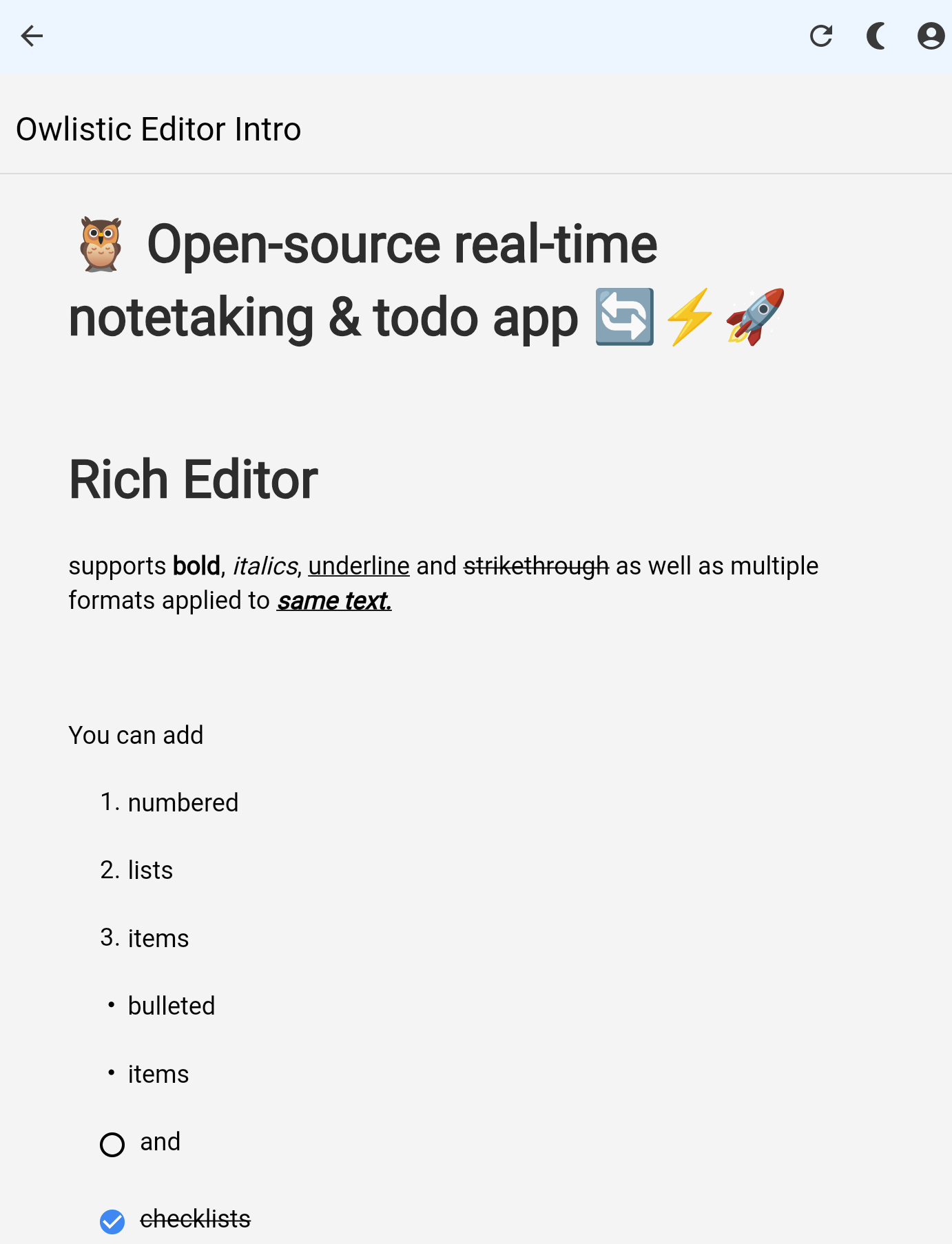
Creating notes in the application is a straightforward process that allows you to capture your thoughts, ideas, and important information quickly. Follow the steps below to create your first note.
Toolbar
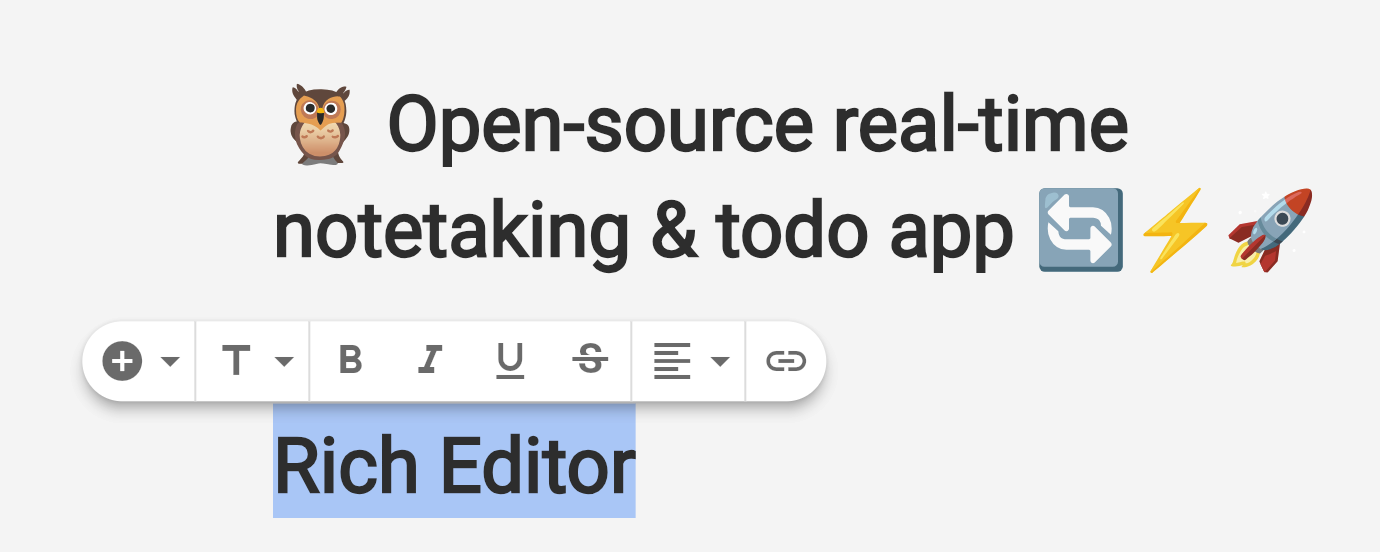
The popover toolbar provides quick access to common formatting options such as bold, italic, underline, and more. You can also use the toolbar to insert links, change block type and add new blocks to your notes.
Inline Markdown Formatting
The editor also supports a variety of Markdown features to enhance your note-taking experience. Below are the key Markdown functionalities available:
Headings
Use # for headings. The number of # symbols indicates the heading level.
# Heading 1
## Heading 2
### Heading 3
Emphasis
You can emphasize text using asterisks or underscores.
*italic* or _italic_
**bold** or __bold__
If you are on desktop, you can also use keyboard shortcuts to format text.
Lists
Create ordered and unordered lists easily.
- Item 1
- Item 2
  - Subitem 1
  - Subitem 2

1. First item
2. Second item
Links
[Link text](http://example.com)
Scrolling